
A Tool Built for Real Life
Most apps assume you have a 9-to-5 and a traditional bank. We don’t. This app was designed for resilience.
-
🛡️
No Passwords Required
Log in securely with just your phone or email.
-
📊
Benefit-Aware Tracking
Track SSI, TANF, and side gigs alongside expenses.
App Guide & Tips
×Access and Secure Login
On the login screen, enter your phone number or email address. The app does not require a traditional password.
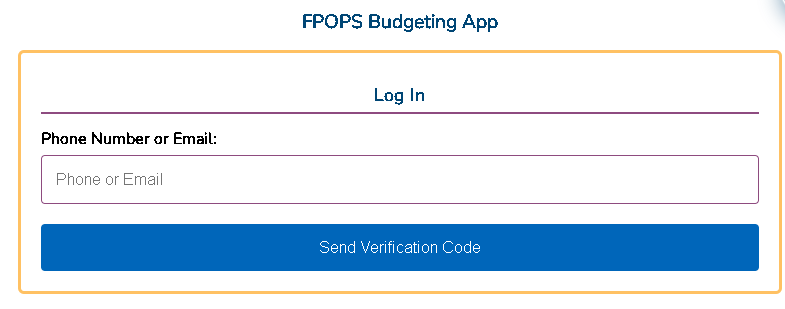
You will receive a 6-digit verification code via SMS or email. Enter this code to access your account securely.

Once logged in, link a second method (like adding an email to your phone login) to ensure you don’t lose access to your data.

Initial Onboarding
New users will see a quick assessment to customize the app:
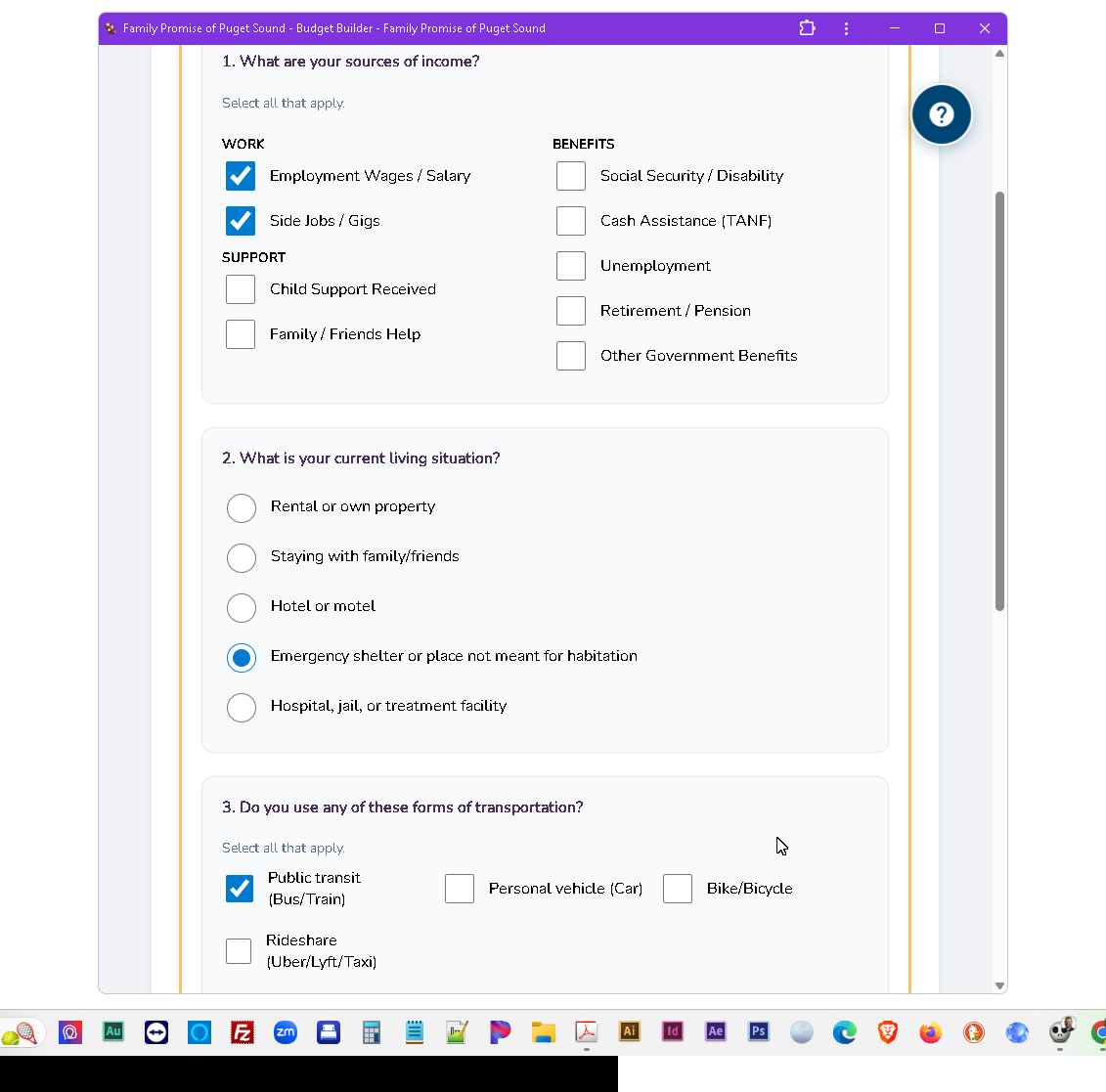
- Income: Select sources like Work (wages, Uber Eats), Benefits (SSI, TANF), or Support (family help).
- Housing: Choose your situation (emergency shelter, staying with friends) to auto-add categories like storage fees.
- Transportation: Pick public transit or personal vehicle to tailor your travel expenses.
Using the Dashboard
This is where you record daily activity:
Use “Today” / “Yesterday” buttons or the calendar picker.

Choose “Income” (money in) or “Expense” (money out).
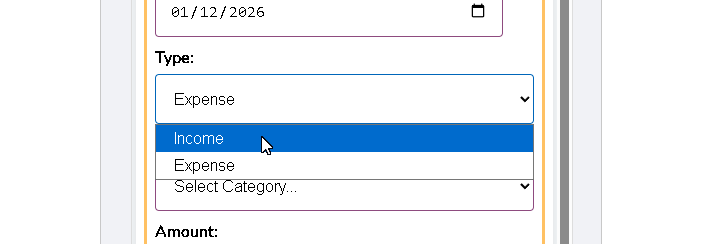
Select from the dropdown (e.g., Side Jobs, Groceries).

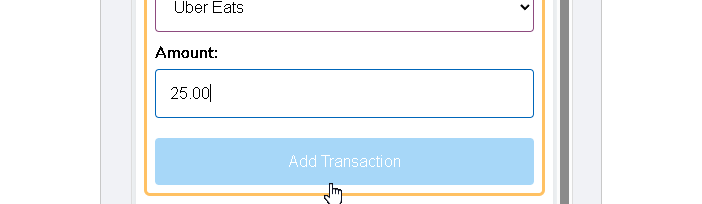
Type the dollar amount and click “Add Transaction.”
Customizing Categories
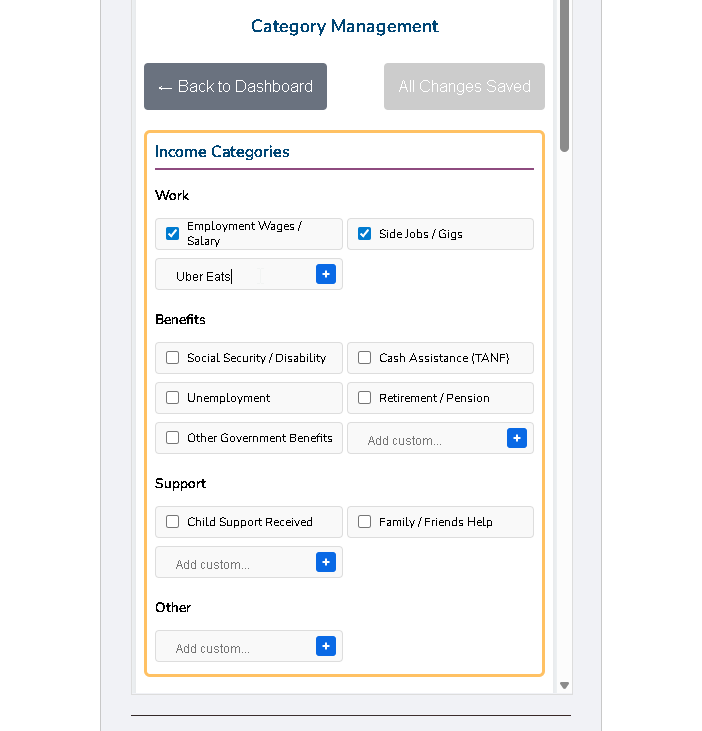
Check or uncheck boxes in “Settings” to keep your list organized.
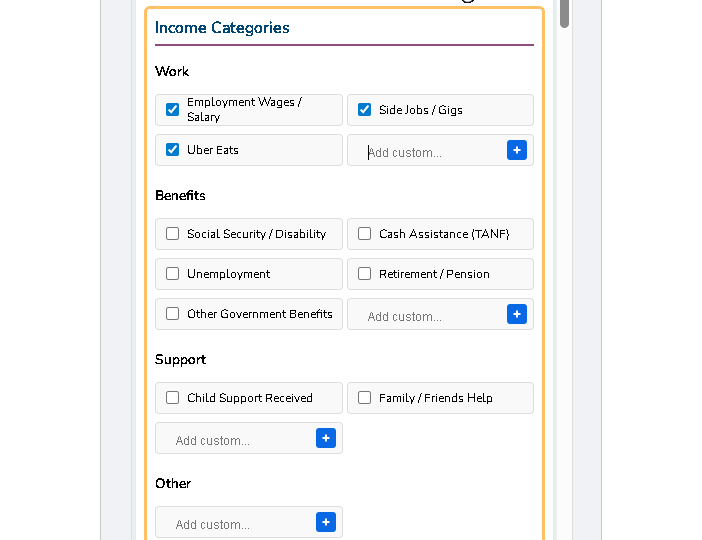
Type unique sources into the “Add custom…” field and click the (+) icon.
Monitoring Finances
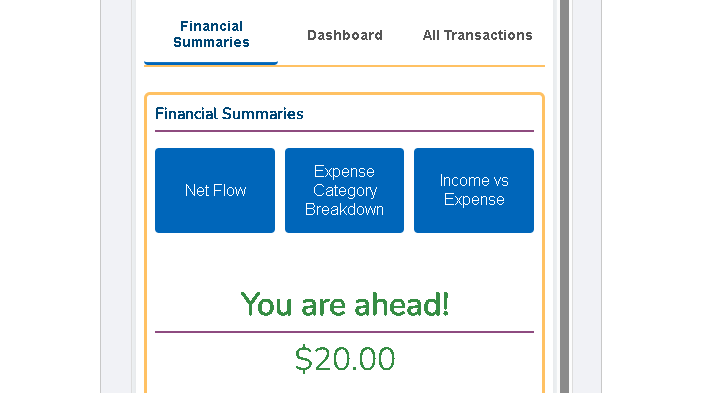
- Financial Summaries: View high-level metrics like Net Flow (Money In vs. Out) and status updates like “You are ahead!”
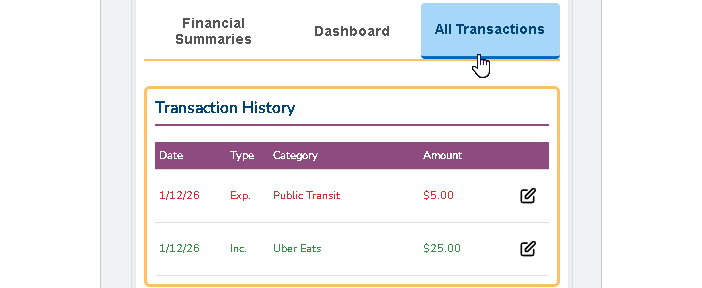
- Transaction History: Click “All Transactions” to see a full list. Use the edit icon to correct any mistakes.
Getting Help
If you are unsure how to use a feature, click the floating question mark icon in the top right corner. This opens this “App Guide & Tips” for immediate assistance.
